

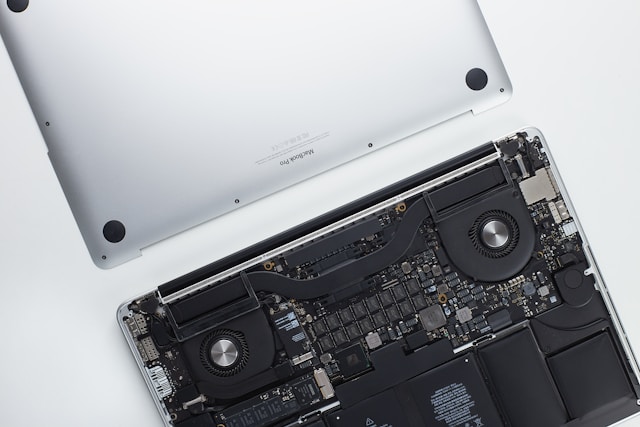

Your laptop is an important tool for work, communication, studies, and entertainment. Over time, however, problems can appear: slower performance, hardware failures, battery issues, or unexpected shutdowns. The question is whether repairing your laptop is the right choice or if replacing it would be a better investment.
A repair can often extend the life of your device, but in some cases, buying a new laptop is the more practical solution.
When is laptop repair worth it?
Laptop repair is usually worth considering when the problem is caused by a specific component that can be replaced or fixed.
Common repair situations include:
- Battery replacement
- Keyboard replacement
- Screen repair
- Hard drive or SSD upgrade
- RAM upgrade
- Charging port repair
- Operating system problems
- Software issues
If the laptop is still relatively new and meets your daily needs, repairing it can be much cheaper than buying a new device.
When should you consider replacing your laptop?
Replacement may be a better option when the laptop is very old or has multiple problems at the same time.
Signs that replacement might be necessary include:
- Frequent crashes
- Very slow performance
- Hardware failures
- Incompatibility with new software
- Overheating issues
- Expensive repairs
If the repair cost is close to the price of a new laptop, replacing it is usually the better choice.
The age of the laptop
The age of your laptop plays an important role in the decision.
A newer laptop with a small issue is usually worth repairing. However, an older laptop may not justify the cost because other components may fail soon after the repair.
Technology also changes quickly, meaning older devices may struggle with modern programs and security requirements.
Battery replacement
Battery problems are among the most common laptop issues.
A damaged battery may cause:
- Short battery life
- Unexpected shutdowns
- Charging problems
- Reduced performance
Replacing the battery is often a simple and affordable repair compared to replacing the entire laptop.
Problems with the screen
A damaged screen does not always mean you need a new computer.
Screen repairs can often solve issues such as:
- Cracks
- Display problems
- Flickering
- Backlight failures
However, if the laptop has other serious problems, replacement may be more reasonable.
Performance upgrades
Sometimes a laptop feels slow not because it is damaged, but because it needs an upgrade.
Possible improvements include:
- Installing an SSD
- Increasing RAM
- Cleaning unnecessary files
- Updating software
These changes can significantly improve speed and extend the laptop’s useful life.
Do not forget backups
Before repairing or replacing a laptop, it is important to protect your files.
A backup can save important:
- Documents
- Photos
- Work files
- Personal data
Regular backups prevent data loss if a device suddenly stops working.
Conclusion
Choosing between repairing and replacing a laptop depends on the device’s age, condition, and repair cost.
A small repair or upgrade can give your laptop several more years of life. However, when problems become frequent or repairs become expensive, a new laptop may be the smarter long-term choice.